How to Organize Cables and Chargers Neatly
A collection of cables and chargers can quickly become one of the messiest areas in a home or office. USB cables, power cords, adapters, headphones, and spare chargers often end up mixed together in drawers or scattered across desks. The result is frustrating: tangled cords, missing accessories, and too much time spent searching for the right cable.
The good news is that organizing cables does not require expensive equipment or a complicated system. With a little sorting and a few simple storage tools, you can create a setup that is neat, easy to maintain, and convenient to use.
Start by Gathering Every Cable
Before organizing anything, collect all of your cables and chargers in one place. Check desks, drawers, bags, cabinets, bedside tables, and storage boxes. Include cables that are currently in use as well as spare items.
Place everything on a large, clear surface such as a dining table or floor. Seeing the full collection at once makes it easier to identify duplicates and decide what you actually need.
As you gather items, separate them from unrelated electronics. Remove old batteries, damaged accessories, and empty packaging so they do not become part of the new storage system.
Sort Cables Into Useful Groups
Sorting is the most important step because it turns a confusing collection into a manageable one. Create groups based on how the cables are used rather than only by their appearance.
Useful categories may include:
- Phone and tablet charging cables
- Laptop and computer power cords
- Audio cables and headphones
- Video and display cables
- Camera and gaming accessories
- Travel chargers and portable power accessories
- Rarely used or specialty cables
You can also sort cables by location. For example, keep one group for the home office, another for the living room, and another for travel. Choose the method that matches your daily routine. If you often move chargers between rooms, sorting by cable type may be more useful.
Remove Items You No Longer Need
Once cables are grouped, look for items that can be removed. Many households keep cables for devices they no longer own. Others have several identical cables when only one or two are needed.
Set aside cables that are:
- Frayed, cracked, or bent near the connector
- Missing an adapter or other essential part
- For devices you no longer use
- Unidentified and impossible to test
- Uncomfortable to use because they are too short or damaged
Do not throw electronic accessories into a regular recycling bin unless local guidelines allow it. Check your community’s electronic recycling options for unwanted cables, chargers, and adapters.
Keep useful duplicates if you have a clear purpose for them, such as one cable at work, one at home, and one in a travel bag. Otherwise, reducing duplicates will make the collection easier to manage.
Label Cables Before Storing Them
Many cables look nearly identical, even when they serve different purposes. Labels prevent guesswork and make it easier for anyone in the household to find the right item.
You can use small labels, colored tape, reusable cable tags, or simple pieces of masking tape. Write short descriptions such as:
- Phone charger
- Tablet cable
- Monitor power
- Camera data
- Travel adapter
For cables with connectors on both ends, label the cable based on its main use. If a cable has a specific limitation, such as being intended only for charging, include that information when helpful.
Use color coding for an even quicker system. For example, blue can represent office cables, green can represent travel items, and yellow can represent audio accessories. Choose colors that are easy to recognize and use them consistently.
Choose the Right Storage Method
The best storage method depends on how often you use each cable. Frequently used items should be easy to reach, while rarely used accessories can be stored farther away.
Use Small Containers for Loose Accessories
Small boxes, bins, or drawer dividers work well for adapters, memory card readers, earbuds, and short cables. Choose containers that are large enough to hold the items without forcing them inside.
Avoid putting every cable into one large box. A deep container may hide smaller accessories and recreate the same problem. Instead, use separate sections for common categories.
Try a Cable Organizer Case
A cable organizer case is useful for people who travel or regularly carry several electronic accessories. These cases often have elastic loops, mesh pockets, and zippered compartments.
Store the most frequently used items in the easiest-to-reach sections. Keep larger adapters in pockets rather than forcing them under elastic loops. A case also protects cables from being crushed inside a bag.
Use Drawer Dividers
For a home office or charging station, drawer dividers create simple compartments for different cable types. Assign one section to charging cables, one to power adapters, and another to audio or video cables.
Dividers prevent items from sliding into one another and make it easy to return each cable to its assigned location.
Coil Cables Without Damaging Them
The way you wrap a cable affects its lifespan. Avoid creating tight knots or sharp bends, especially near the connector. Instead, loosely coil the cable in a circle that is large enough to avoid stress.
Use reusable hook-and-loop ties, silicone bands, or built-in cable straps to hold each coil in place. Avoid relying on disposable plastic ties because they are inconvenient when you need to use the cable again.
For longer cords, try the over-under coiling method. This technique alternates the direction of each loop and helps reduce twisting. It is especially useful for extension cords, audio cables, and other cords that are frequently unpacked.
Never wrap a cable tightly around a charger block. The cable may bend sharply where it meets the adapter, which can lead to wear over time.
Improve Your Desk or Charging Station
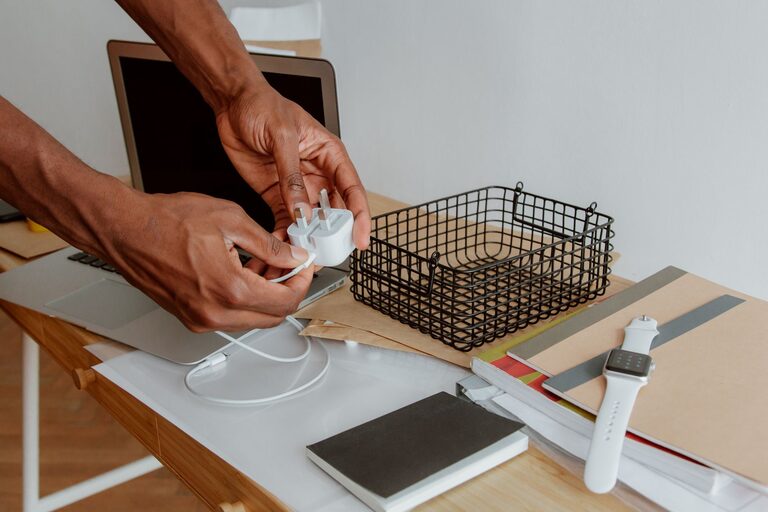
If several devices charge in the same area, organize the space around their everyday use. Place a power strip in a position where it is accessible but not in the middle of the workspace. Cable clips can guide charging cables along the back or underside of a desk.
Keep only the cables you use regularly on the desktop. Store spare cables in a nearby drawer or container. This keeps the surface clear without making essential accessories difficult to reach.
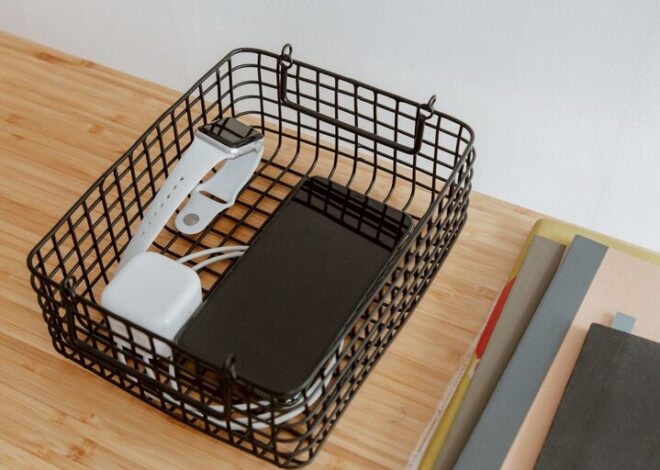
A small tray can hold phones, earbuds, and charging cables in one place. If several people use the same station, label sections for each person or device. This prevents cables from moving around the room.
Create a Simple Travel Kit
A dedicated travel kit saves time when preparing for a trip. Instead of searching through your main cable collection, keep a small set of essentials together.
A basic kit might include:
- One phone charging cable
- A compact charging adapter
- A power bank, if needed
- Headphone or audio accessories
- A multiport adapter for work or presentations
Check the kit occasionally and return items after each trip. Avoid storing every spare cable in the travel case, as this can make it bulky and difficult to use.
Maintain the System
Cable organization works best when it becomes a habit. After using a cable, return it to the same container or location. When buying a new device, decide where its cable will be stored before opening the packaging.
Review your collection every few months. Remove damaged items, combine duplicates, and update labels when your devices change. A quick review takes much less time than organizing a large, tangled collection later.
The goal is not to create a perfect display. The goal is to make every cable easy to identify, easy to access, and easy to put away. With clear categories, simple labels, and suitable storage, even a large collection of chargers and cords can stay neat and manageable.

Related Posts

How to Make Your Kitchen Counters Clutter-Free